Widget First Countdown

次の予定までを、 ホーム画面で ひと目で。

See the days left to your next event at a glance on your Home Screen.

あと何日? は、純正カレンダーの予定を自動で読み込み、 次のイベントまでの残り日数を見やすく表示するiPhoneアプリです。 ウィジェットが主役なので、アプリを開かなくても大事な予定をすぐ確認できます。 Countdown automatically reads events from Apple's Calendar app and shows the remaining days until your next event in a clear, widget-first layout. Important plans stay visible without opening the app.

  • 純正カレンダーから自動同期 / Auto-sync from Apple Calendar
  • 残り日数を色付きでわかりやすく表示 / Color-coded countdown display
  • 大事な予定をピン留めして先頭固定 / Pin important events to the top

自動取得 / Auto Import

予定を手で入れ直さない No need to re-enter your events.

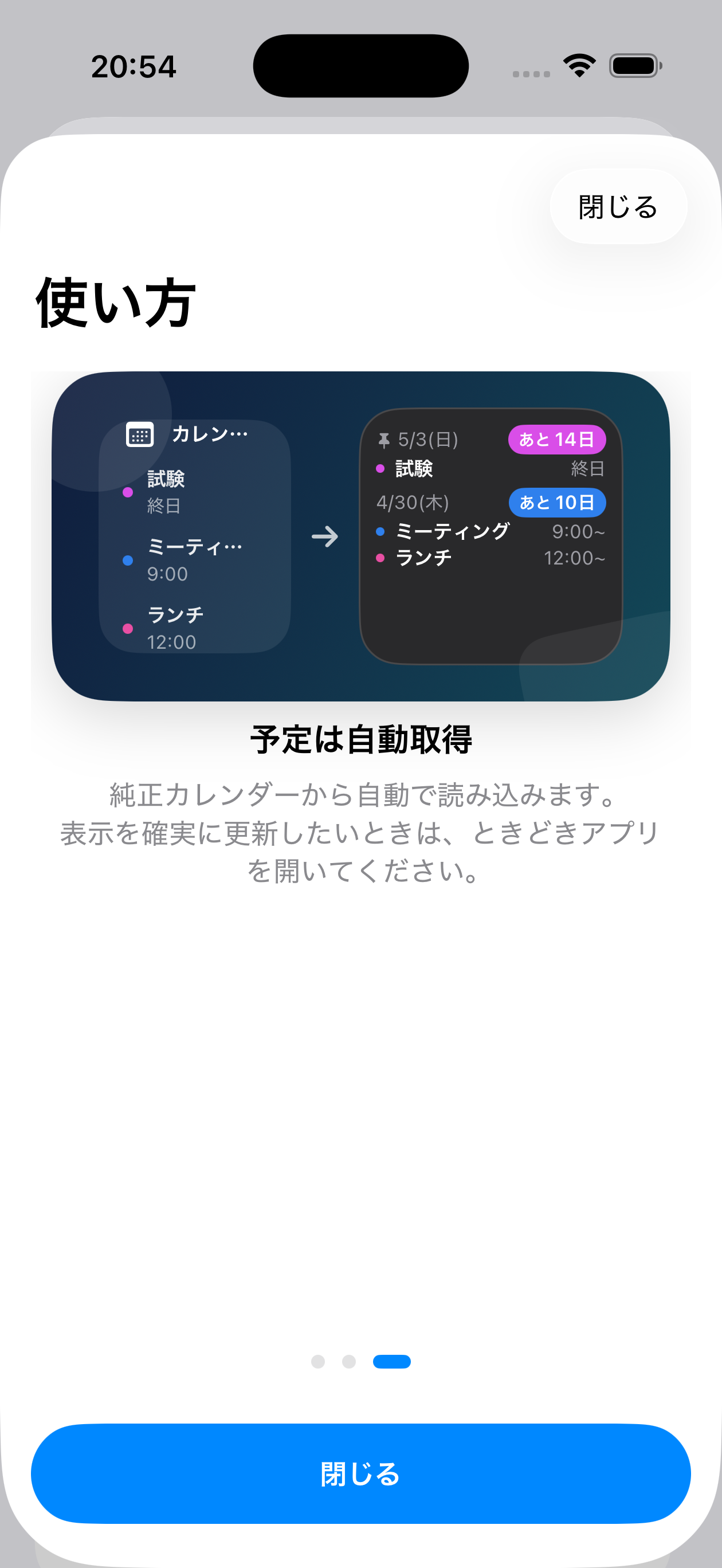
純正カレンダーに入っている予定をそのまま読み込みます。いつものカレンダー運用を変えずに、 カウントダウン表示だけを追加できます。 Events already stored in Apple Calendar are read directly, so you can add countdown visibility without changing your existing workflow.

ピン留め / Pinning

大事な予定は埋もれない Important plans stay on top.

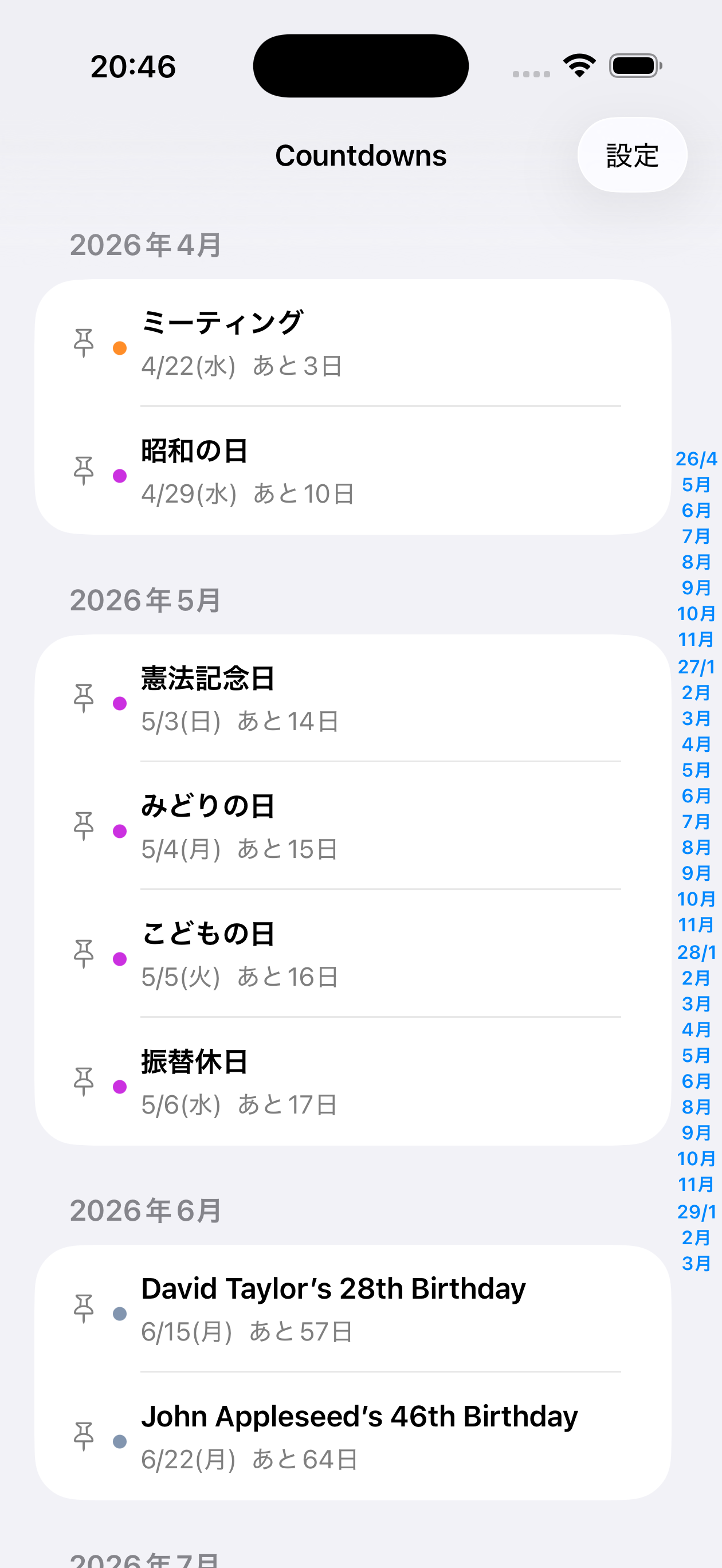
試験日や締切、旅行など、見逃したくない予定はピン留めに対応。一覧でもウィジェットでも優先して確認できます。 Pin exams, deadlines, trips, and other must-not-miss events so they remain prioritized in both the app and the widget.

ウィジェット中心 / Widget First

欲しい情報だけを、すぐに Only what you need, instantly.

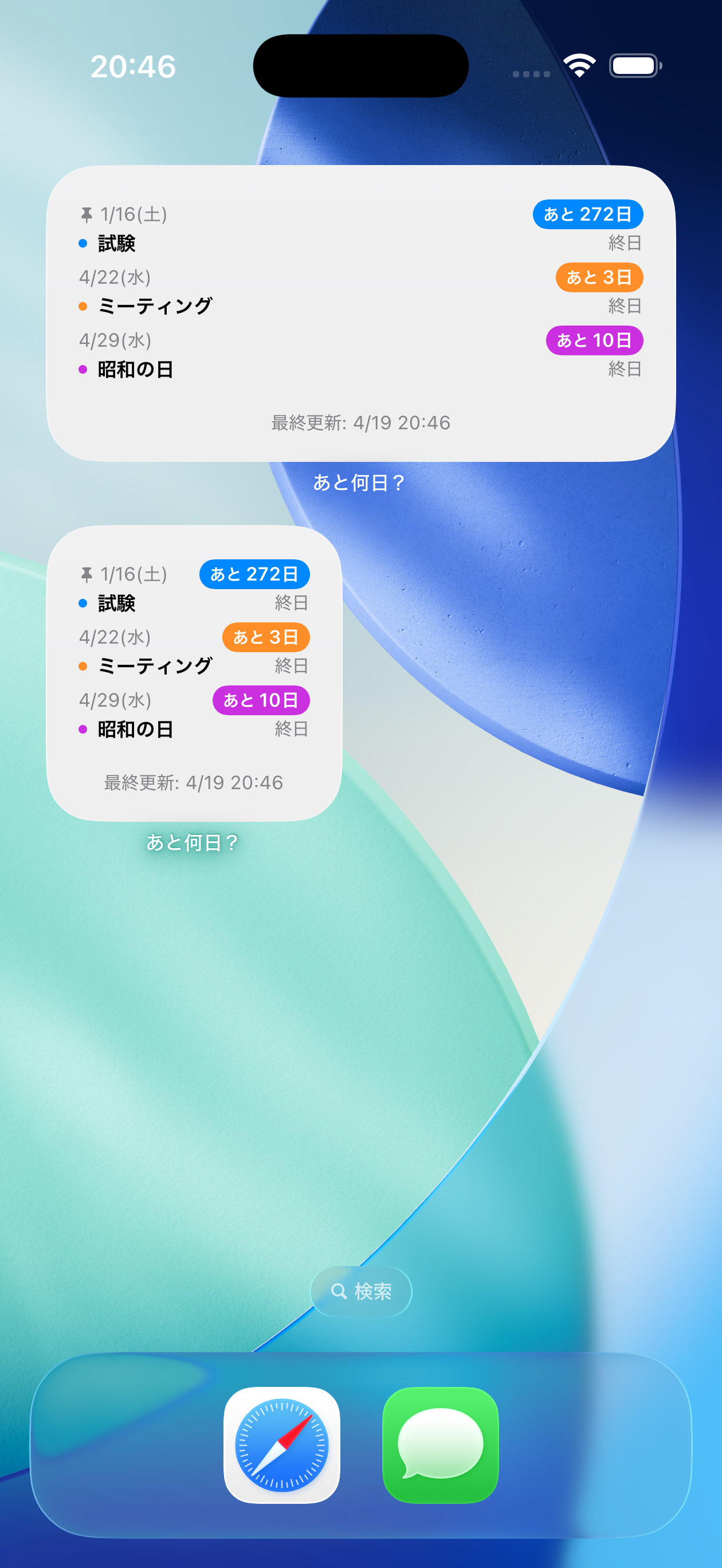
Small / Medium のウィジェットで、次の予定と残り時間をすっきり表示。ホーム画面に置くだけで見返しやすくなります。 Small and Medium widgets give you a clean summary of upcoming events and time remaining right on the Home Screen.

Features

日付の見落としを減らすための機能 Features designed to reduce missed dates.

残り日数を一覧で表示 Countdown list view

「あと3日」「あと10日」のように、予定日までの距離感がすぐ分かります。先の予定ほど把握しづらい人に向いた表示です。 See values like "3 days left" or "10 days left" so the distance to each event is immediately clear.

対象カレンダーを選べる Choose calendars to display

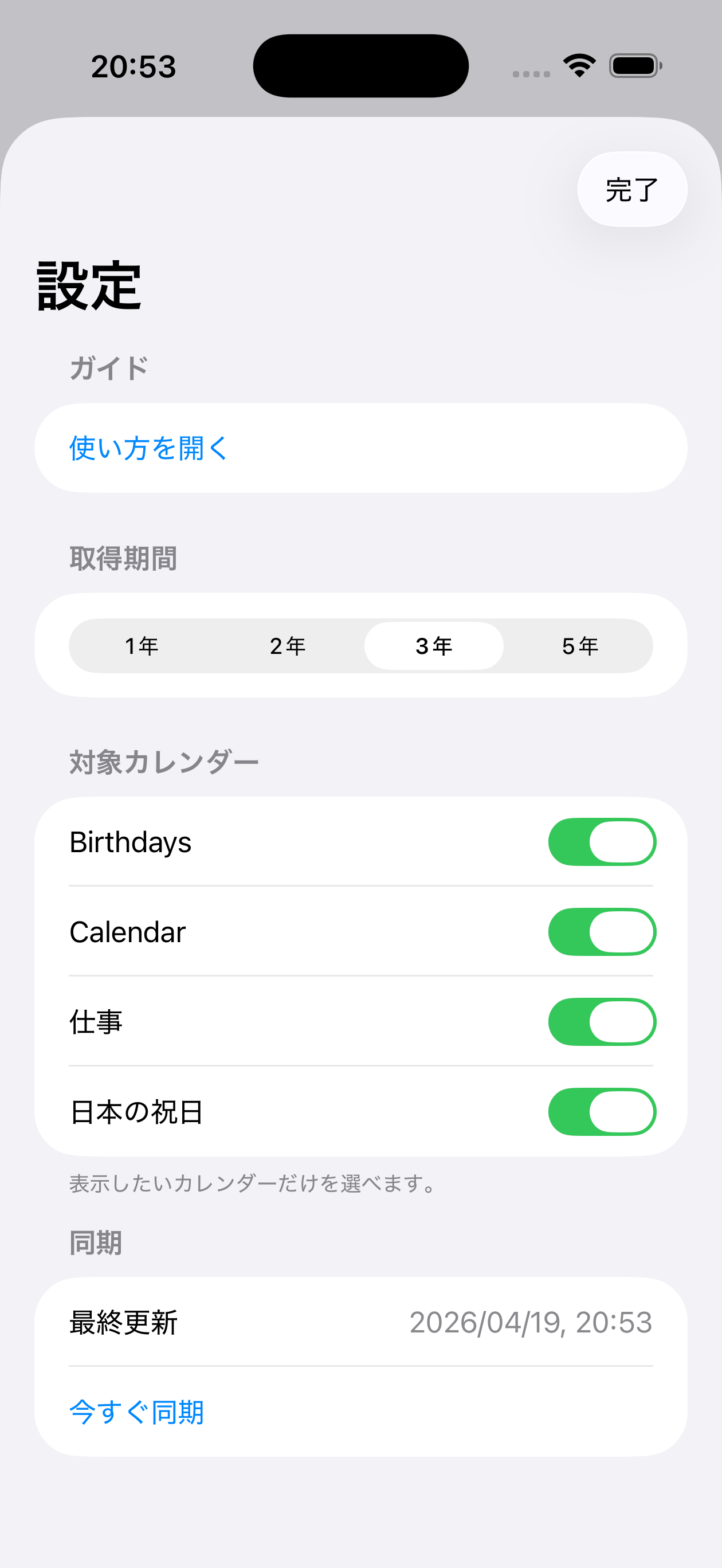
仕事、私用、祝日など、表示したいカレンダーだけを選択できます。必要な情報だけに絞って見やすく保てます。 Select only the calendars you want, such as work, personal, or holidays, to keep the list focused and readable.

取得期間の切り替え Adjust event range

1年から5年までの範囲で予定取得期間を切り替えできます。近い予定を中心に見る使い方にも、先のイベント管理にも対応します。 Switch the fetch range from 1 to 5 years depending on whether you want a short-term view or long-term planning.

最終更新時刻を表示 Last updated time

いつ同期された情報かを画面上で確認できます。表示を確実に更新したいときはアプリ側から手動同期も可能です。 You can confirm when the displayed data was last synced and manually refresh it from the app when needed.
Screenshots

アプリ画面 App Screens

ウィジェット表示、一覧画面、使い方ガイド、設定画面をそのまま掲載しています。 The gallery below shows the widget, event list, onboarding guide, and settings screen.

Privacy

カレンダー権限の利用目的を明確にしています We clearly explain how calendar access is used.

本アプリは、予定の残り日数表示とウィジェット更新のためにカレンダー情報を利用します。 詳細はプライバシーポリシーをご確認ください。 Calendar data is used only to show countdown information and keep the widget up to date. See the privacy policy for details.

お問い合わせ / Contact: naoki_hotta_dev@icloud.com

プライバシーポリシーを見る / View Privacy Policy