すぐ開く
Open Fast
起動直後に必要なチケットへ
The right ticket appears first.
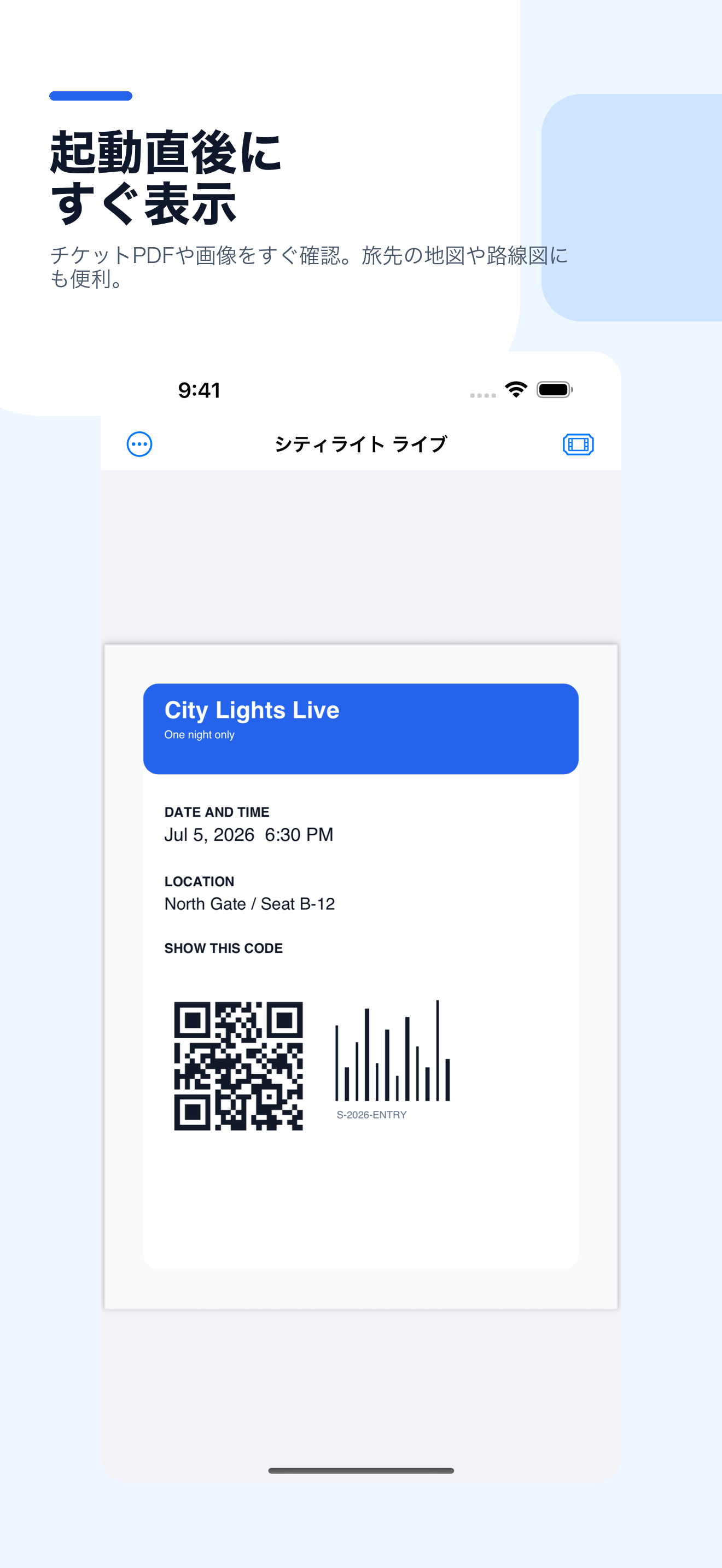
日付を設定したチケットは、当日の未経過チケットとして起動時に表示できます。重要なファイルは手動で固定できます。
Use dates or manual pinning to keep the important ticket ready when the app opens.
チケットとPDFのホルダー
Ticket and PDF Holder
PDFチケット、スクリーンショット、 路線図、予約控えを、 アプリ起動時にすぐ開ける状態で保存できます。
Keep PDF tickets and screenshots, route maps, and reservations ready when you open the app.
PDFTicketHolder は、 ライブ、映画、イベント、 交通機関などのPDFチケットや スクリーンショットを、 すぐ見せられる状態で 保存しておくためのアプリです。
PDFTicketHolder saves PDF tickets and ticket screenshots for concerts, movies, events, transportation, and reservations so the right file is ready at the gate.
すぐ開く
Open Fast
日付を設定したチケットは、当日の未経過チケットとして起動時に表示できます。重要なファイルは手動で固定できます。
Use dates or manual pinning to keep the important ticket ready when the app opens.
PDFと画像
PDF and Image
電子チケット、路線図、会場案内、予約控えなど、移動中によく見るPDFや画像を同じ場所で管理できます。
Store tickets, route maps, venue maps, and reservation confirmations in one place.
表示位置を記憶
Remember View
QRコードやバーコードに一度合わせておけば、次回から同じ表示位置を開けます。
Each file remembers its page, zoom level, and viewing position.
特長
Features
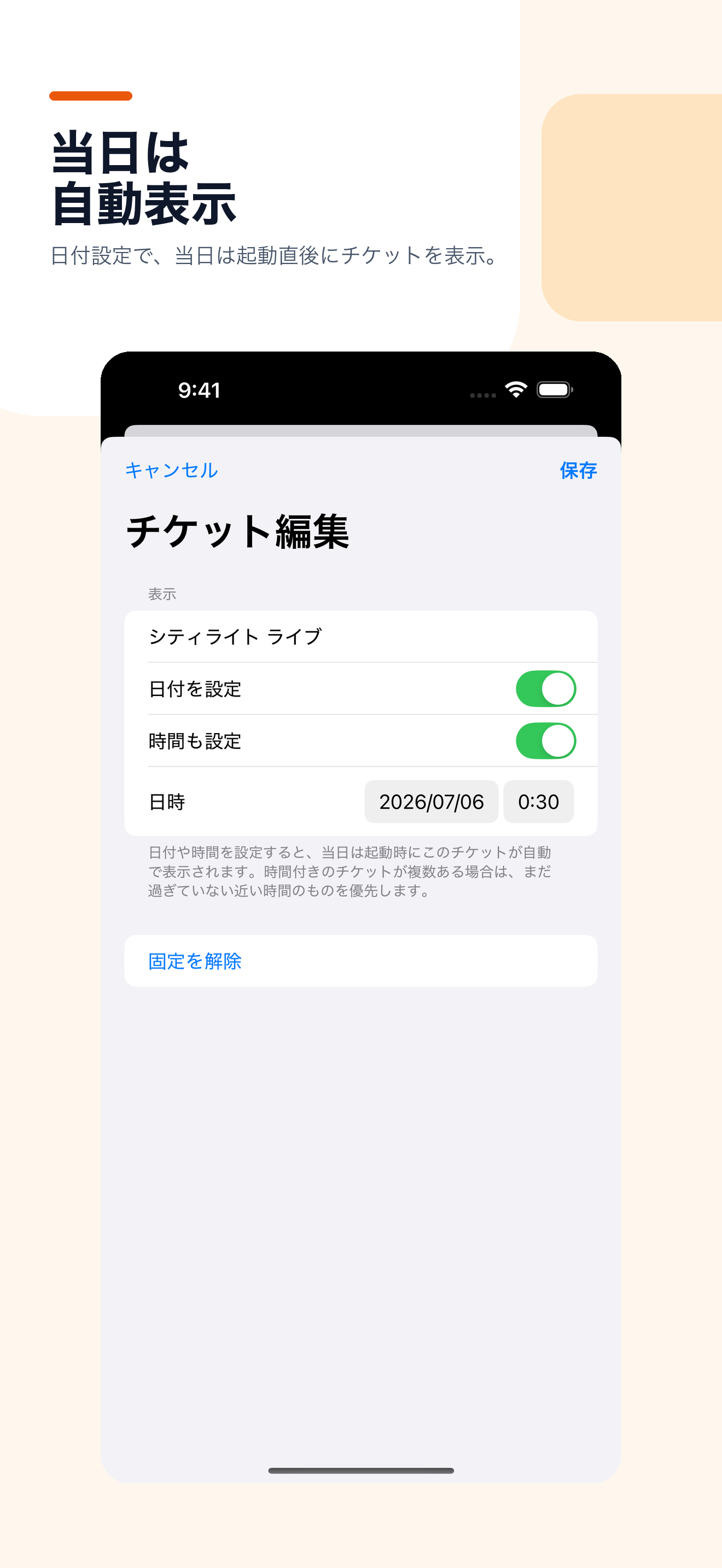
チケットの日付と時間を設定すると、アプリ起動時に当日の未経過チケットを優先して表示します。
Date and time settings help the app choose the right upcoming ticket automatically.
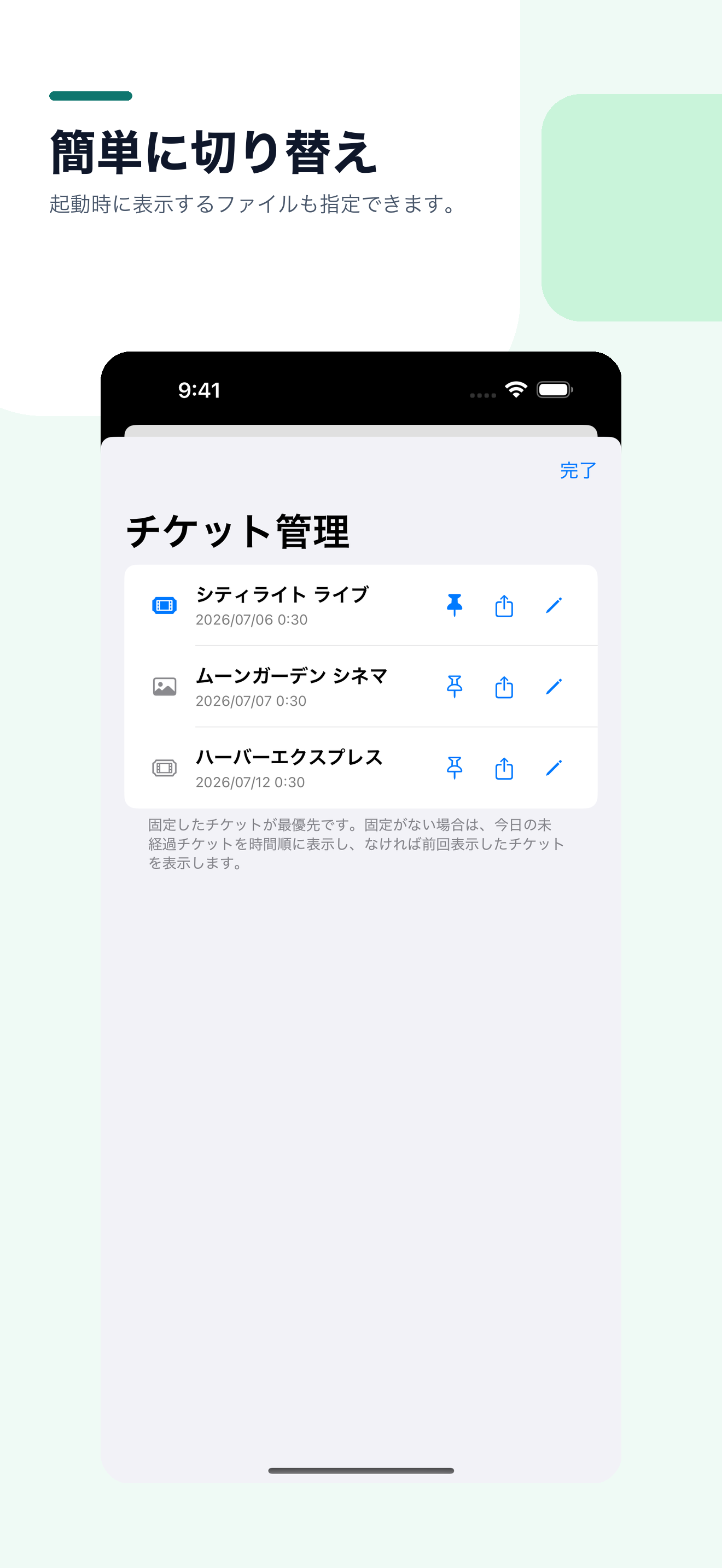
何度も見たい路線図や予約控え、特に重要なチケットは手動で固定し、起動時に開けます。
Pin frequently used route maps, reservations, or important tickets so they are always one tap away.
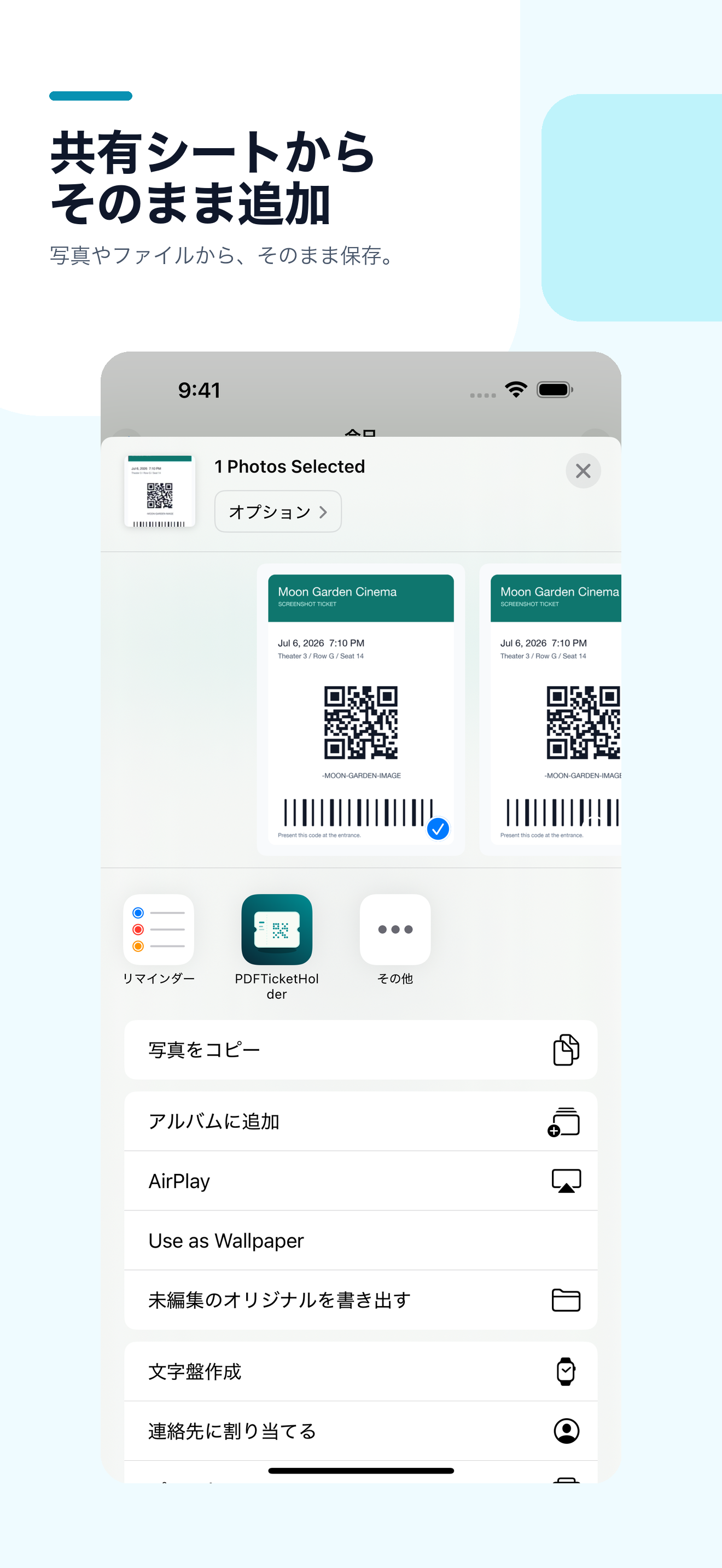
写真、ファイル、他のアプリから共有シート経由でPDFTicketHolderへ保存できます。
Add files from Photos, Files, and other apps through the system Share Sheet.
パスワード付きPDFに対応し、正常に開けたパスワードは端末のKeychainに保存できます。
Passwords can be saved in the device Keychain only after they successfully unlock a PDF.
スクリーンショット
Screenshots
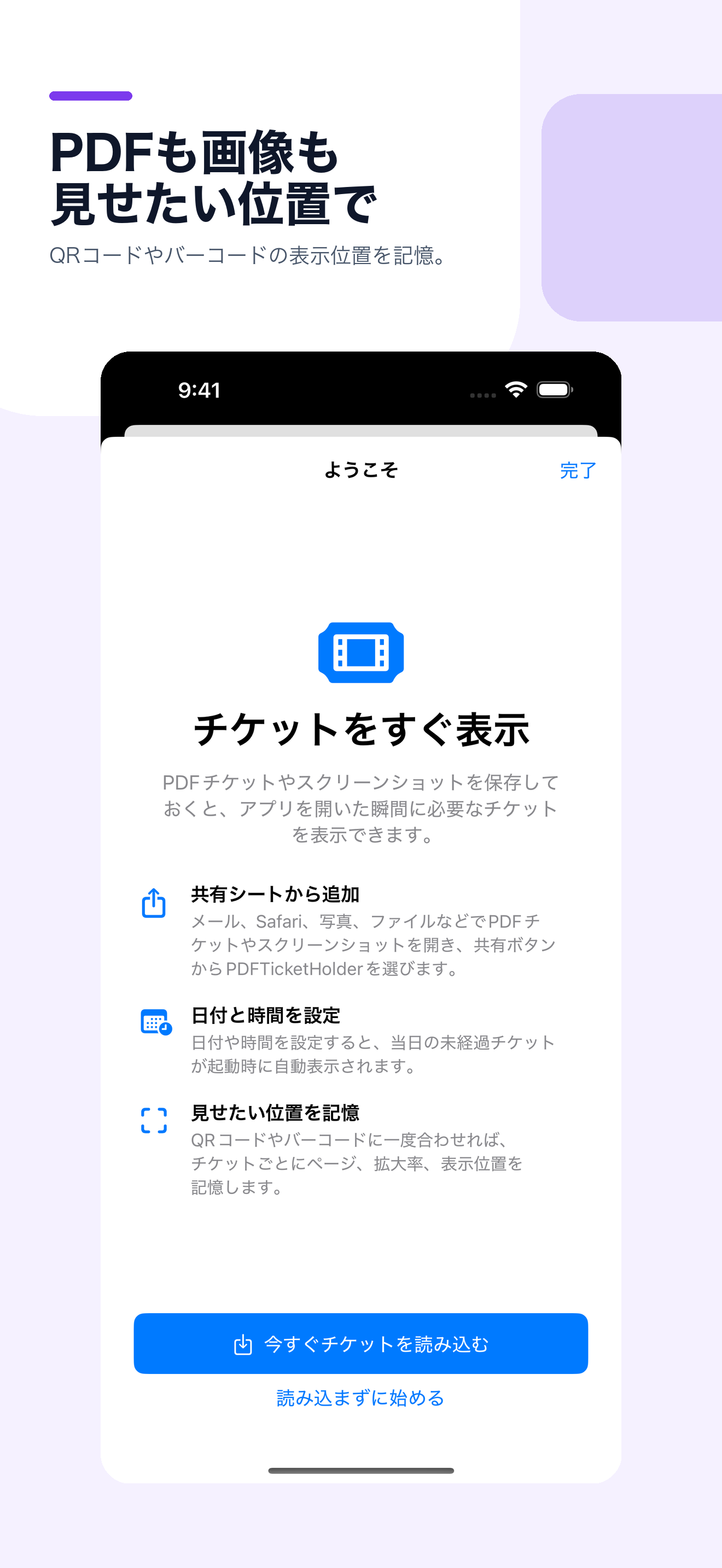
PDFチケット表示、ライブラリ、日付設定、共有シートからの追加、初回ガイドの画面です。
The gallery shows preview, library, schedule, Share Sheet import, and onboarding screens.
サポート
Support
本アプリは外部サーバーやアカウント機能を使用しません。チケットファイル、表示位置、日付、パスワードは端末内に保存されます。
The app has no external server or account system. Ticket files, viewing positions, dates, and passwords are stored on device.
お問い合わせ: Contact: naoki_hotta_dev@icloud.com